SnapEDA offers a free cloud library containing over 500,000 ready-to-use CAD models for electronic components, including schematic symbols and PCB footprints. This covers common parts like resistors and caps to complex ICs, connectors across all manufacturers serving prototype to production needs.
PCB and schematic footprint availability remains one of the biggest barriers engineers face when designing new boards, often struggling searching manufacturer datasheets and drawing land patterns from scratch. SnapEDA solves this through pre-built 3D models, symbol artwork, and manufacturing output generation support for every component eliminating start from zero hassles.
This guide covers methods to seamlessly import SnapEDA symbols and footprints across popular Electronic Design Automation (EDA) tools from desktop applications like Altium, Eagle, OrCAD to web-apps including Upverter, EasyEDA and others accelerating creation of part libraries ready for schematics capture and board layout reducing tedious redraws reinventing the wheel.
Follow along to learn how SnapEDA interoperability saves hours, enabling faster schematics and layout completion by reusing validated component models.
SnapEDA Library Overview
SnapEDA maintains a continuously growing online free component library for circuit designers and engineers covering:
1. Symbols: Schematic artwork drawings with various style templates of part pins as needed for capture tools
2. Footprints: Corresponding package land patterns – from simple to complex covering requirements for physical PCB design stages
3. 3D Models: Photo-realistic STEP models for visualization and enclosure clearance checks
4. Datasheets & Pins: Indexed spec sheets and pin mapping tables per component for easy cross reference
5. In-tool Search: Availability from within EDA suite plugin interfaces
The unified component data cloud services 500,000+ parts growing daily through automated data mining scripts extracting from manufacturer catalog PDFs combined with manual capture for newest complex semiconductors or FPGA ensuring latest availability.
Compatibility spans 20+ file formats covering all major EDA tools requirements through native adaptors or standard exports like PDF and CSV integrations.
Let’s look at options getting SnapEDA footprint and symbol data into your chosen desktop or web-based electronic design platform.
1. Native SnapEDA Plugins
The simplest option importing SnapEDA component models leverages native tool integration plugins developed for the most widely used EDA suites electronically hooking symbol and footprint availability from within the design tool built-in library interfaces avoiding needing manually process file exports.
Below covers solutions for major Windows/Mac EDA platforms:
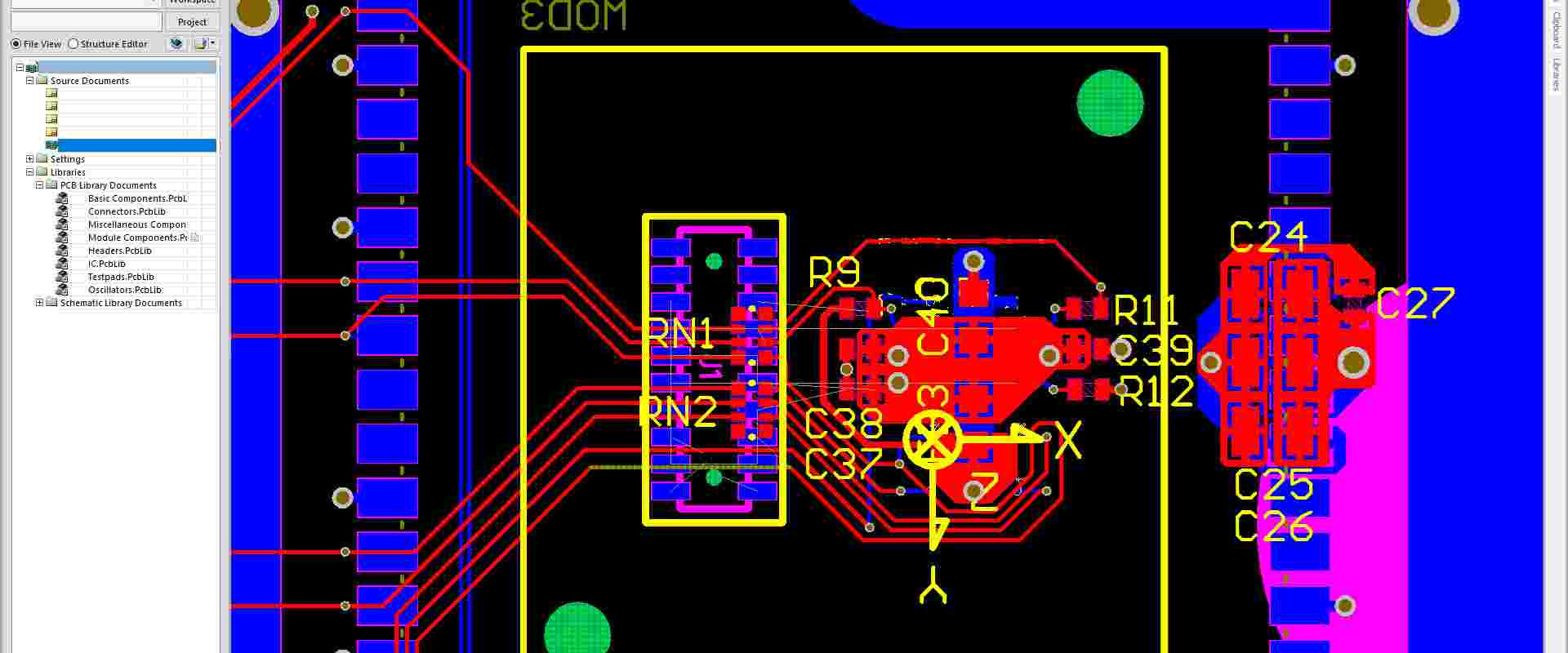
Altium Plugin
SnapEDA Altium App provides live managed content access to symbol and footprint data from within core Altium tools:
- Altium Designer
- Altium 365 cloud workspace
Plugin features:
*~~500K+ component CAD models
*Parametric filters by keyword, manufacturer *Configurable datasheet attachments *MCAD and ECAD data single source point
Through the unified managed content system synchronization, engineers access required component package imagery and dimensions needed accelerating complex board development from within familiar Altium interface environment reducing context switches.
Eagle Plugin
The SnapEDA Eagle integration enables searching 500K+ components library access from within Autodesk EAGLE PCB design tool:
Features include:
- Real-time availability check from Eagle UI
- Native Eagle .lbr format symbol/package generation
- Data imports into existing or new libraries
- Change part updates automatically pulling future revisions
By surfacing SnapEDA’s model availability natively avoiding needing intermediate file export/imports, engineers access ready-to lease component artwork accelerating schematic and board drawings reducing startup delays reinventing basic generic diodes or capacitor land patterns commonality further.
OrCAD Plugin
For engineers preferring Cadence OrCAD for PCB layout design, the SnapEDA OrCAD integration brings 500K+ component models into the Allegro Footprint Expert footprint wizard in seconds through interlinked UI availability check and generation workflows.
Benefits designing complex boards in OrCAD by leveraging SnapEDA wealth access include:
- Symbol and package generation wizards avoiding new drawings
- Dimensional accuracy validation against manufacturer datasheets
- Future updates availability notifications
By adapting to specific OrCAD physical constraints needs like thermal pads, clearance rules and pin mappings, ready-to-reuse SnapEDA symbol and footprint data imports accelerate development further by interoperating with existing Allegro component records through reusable central library ecosystem reuse designed deliberately smoothening repeated integrations daily for disparate projects needs.
Thereby unlock OrCAD productivity bottlenecks through unified access to rich standard component starting baseline via SnapEDA models import avoiding starting zero rebuilding basics endlessly.
KiCad Plugin
For open-source Electronic Design Automation tool KiCad widely used by hobbyists and hackers, SnapEDA KiCad integration enables leveraging half a million electronics component models through:
- Browser part selector filtering manufacturers, keywords
- Native KiCad .lib/.mod footprint format generation
- Bulk .csv customizable library exports
- Version control friendly model access
Plugin available via KiCad Plugin Manager needing just few clicks instead of complex SDK installations further eases importing relevant symbols and footprints into either default or custom KiCad libraries setup meeting spec needs. Thereby customize imports choosing exact FP filters, properties and design rule driven attributes matching planned PCB constraints parameters through slickest interchange mechanism designed catering open tools community growing user sophistication plus expectations continue raising wishing maximize outcomes without incurring steep learning curves as entry barriers.
Upverter Plugin
SnapEDA partners with Upverter providing simplified online/cloud-based schematic capture and PCB layout tool offering Upverter integration enabling:
- Instant availability check from 500K+ parts library
- Native imports of symbols and footprints into projects
- Automated data updates for component revisions
- Download datasheets while designing
Thereby augment core web-first EDA functionality with additional speed importing validated models through partnership instead of relying solely isolated individual efforts redrawing common benchmarks endlessly. Together offer easy entry path into electronics hardware innovation through unified access to pre-built foundation enablers.
2. Open Standards Interchange
For EDA tools without native dedicated App or extension supporting simplified interchange, component model data from SnapEDA can still be imported through conversion using common open formats like:
1. CSV Lists Exports
- Bulk symbol and footprint data exports as csv lists
- Contains manufacturer, MPN, package name properties
- Suitable for scripted imports into custom libraries
2. PDF Datasheets
- Hundreds of thousands datasheets indexed one click access
- Attach directly to parts in tools linking live spec reference
3. 3D STEP Models
- Photorealistic mechanical model downloads
- Enable MCAD clearances checks
- Supported in almost all ECAD systems
Thereby manually process exports from SnapEDA choosing above widely adopted interchange formats CSV lists, PDF docs and 3D STEP files for transferring into destination tools through import wizards further minimizing duplicate drawing needs albeit cost of added manual steps.
Reach out for additional specific format requirements assistance as well.
3. Command Line Interface (CLI)
Advanced users can leverage SnapEDA command line interface (CLI) for custom programmatic access to 500K+ component data programmatically querying against required properties like manufacturer part numbers, keywords etc. returning matching models list in JSON.
Benefits offers include:
- Custom scripting filters parsing big data smartly
- Automate imports into local/enterprise libraries
- Version control friendly incremental adds gatekeeping
- Mix machine intelligence with human curation workflows
Thereby customize interchange beyond generic wizard exports through programmatic filters precision eliminating manual downloads needs for very large local libraries sync or just accelerate common imports through CI/CD pipelines modernization benefits embracing scripted transfers taking best from both automation and workflows worlds.
Check GitHub guide for SnapEDA CLI installation process across Win/Mac/Linux machines either natively or using NPM packages manager requiring just few quick steps setting path environment alone typically. Thereafter unlocks entire models dataset manipulations freedom or just surgically filter parts meeting narrow criteria into local EDA libraries needs keeping upstream SnapEDA cloud repository as single source of truth reference.
4. REST API
Enterprise IT administrators managing centralized design databases can directly integrate SnapEDA’s unified component data leveraging the public SnapEDA REST API into local PDM/PLM systems avoiding fragmented siloed local libraries:
Features
- Full create, read, update and delete (CRUD) models access
- Pagination for large queries handling beyond 1000+ response sizes
- OAuth authentication
- HTTPS encrypted requests
Benefits contrast over isolated datasets spreadsheets saved locally on insecure shared drives include:
- Live access to always updated models
- Avoid broken linkage due to file movements
- Single queries searching against full corpus quickly
- Mix internal data alongside public augmented intelligence
Check the OpenAPI (Swagger) documentation for API technical usage covering aspects like endpoint details, request structures, query parameters and response formats – both JSON and XML.
Thereby modernize component data flows strategy through scalable access at ease to unified clean dataset benefiting all tools needs catering small to very large enterprise-wide design teams spread worldwide across multiple internal business units on common standards boosting collaboration. Manage securely avoiding risks single employee hoarding part datapiece losing organization access owing lack processes truly democratizing access following principle “Lifting all boats rises tide”.
Recommended Workflows
Below offers suggested best practice workflows for diferentes expertise profiles across organizations explaining prudent ways applying SnapEDA interchange strengths meeting respective tools domains needs:
Entry Level Engineers
Inexperienced joining freshers keep focused solely own tasks without worrying distractions maintaining libraries etc. Rely on centralized admins provisioning relevant models matching project needs avoiding missteps learning curve through hands-on practice priority. Thereby avoid frustrating delays starting delayed by weeks trying master interchange complexity not realizing ROI time better spent honing primary skills through guided mentoring. Leadership provides pre-approved foundation enablers through validated workflows instead leaving manages local tools quirks fighting fires.
Mid-Level Engineers
Can self-serve leveraging native plugins importing from within tools matching keywords search filters across SnapEDA’s structured catalogue precisely avoiding gambling guesses quality. Custom script CLI imports automating batch transfers repeating mundane manual exports steps. Subscribe components needing change updates notifications instead of worrying perpetual och maintain local coherence. Thereby focus specialty skills through aided tools interops lifting ancillary burdens focussing engineering design challenges worthy human intellect alone solving. Leadership encourages enterprising initiatives understanding net productivity gain compound benefits over narrowly restricting gates fearing imaginary abuses that seldom materialize practically.
Senior Principal Engineers
Masters involved establishing centralized libraries architecture itself defining protocols meeting custom tools constraints catering current while keeping forward compatibility major version changes isolating downstream consumers. Evaluates tradeoffs local vs cloud-hosted database instances fitment balancing control vs outsourcing factors. Leads initiatives liaising IT enterprise systems resources bridging EDA data needs through API integrations and modern workflows minimizing risks dependence any single employee through democratized accessibility tenants applied securing IP criticality accordingly via licensing not blind openness without accountability checks balances. Thereby sustains structured knowledge transfers between generations inheriting engineering continuity managing changes scaling organization numbers without incurring productivity hits growing pains faced smaller earlier phases.
Conclusion
In summary, importing SnapEDA’s 500,000+ electronics component models comprising symbols, footprints and 3D models accelerates PCB design productivity by avoiding reinventing common commoditized benchmarks from scratch repeated.
Interchange support spans:
- Native EDA tool plugins
- Open file formats exports
- Command line interface customization
- REST API integration
Recommended Graduated Workflows strike balance empowering engineers capabilities levels avoiding early steep learning curves entry levels facing while sustainably keeping senior leadership directed strategy changes proof by minimizing sudden transitions. Together aid organization mixing individual specialists skills pooled achieving net outcomes greater than sum of parts.
We invite you to participate these joint success gains trialing suggested best practices applying for roles through SnapEDA access today!
FAQs
Here are some commonly asked questions regarding importing SnapEDA component models:
Does SnapEDA cover components from all manufacturers?
Yes, SnapEDA electronic component library attempts providing widest coverage spanning:
- Semiconductors: Microcontrollers, Processors, Diodes, Transistors etc
- Passives: Resistors, Capacitors, Inductors, Transformers etc.
- Electromechanical: Connectors, Switches, Relays etc.
- Plus Optoelectronics, Sensors, Transceivers etc.
With over 500 manufacturers supported across above categories from large players to niche boutiques, SnapEDA models accelerate design starts progress unhampered by basic parts unavailability delays awaiting missing land patterns creations further held back by other priorities lacking visibility urgency at outset but cascade manifold subsequently failing electronics innovations early preventing even proofs concept attempting lacking pieces basics pre-built reusable made accessible democratic sharing economy principles applied lifting all boats. Reach out additional priority coverage requests considered catering specific tools interoperability needs.
Does using SnapEDA models require paying?
Accessing SnapEDA’s 50,000+ component symbols and footprints library for private or commercial PCB design tools usage remain completely free without needing payments or account Signups requirement allowing anonymous usage leveraging open data availability.
Advanced capabilities like Bulk exports, Priority requests, Private storage etc do require optional “Pro” subscription sign-up enabling extra features but entry level usage access open for individuals, small companies and academic institutions unlimited allowing fair usage policies promoting electronics innovations eco-system nurturing.
Thereby keep barrier low entry welcoming new entrants matching open source community spirit while sustaining operations scalability through premium plans subscriptions fitting advanced power users willing investing higher productivity unlocks justifying ROI realized based measurable metrics assessed quantitatively bereft marketing jingoism claims alone.
Does SnapEDA offer custom CAD models creation?
For very latest complex semiconductor components lacking published package dimensions availability from manufacturers directly, SnapEDA offers Custom 3D modeling services creating bespoke photorealistic models matching actual samples measurements validating accuracy through import validations aging revisions maintained aligned datasheets errata continue evolves lacking clarity early inception phases. Thereby fill interim gaps through qualified dedicated resources offers bridging electronics innovations needs awaiting public domain accessibility standards commonplace fetching reasonable fees balanced respecting skilled efforts deserves while bringing costs affordable contrast tedious in-house attempts alternatives.
Reach out specific custom models requests details providing samples availability clearly documenting measurement datas sourced directly manufacturers authorized channels alone avoiding unverified internet sources alone ensuring chain custody IP protections warranted.